
Wi-Fi 7 vs Wi-Fi 6E in 2026: Is Upgrading Your Router Worth It?
Updated: November 23, 2026
If your home internet feels slow, you might be wondering whether upgrading to a Wi-Fi 7 router is worth the money.
Wi-Fi 7 promises faster speeds, lower latency, and better connections for multiple devices. But Wi-Fi 6E is still capable of handling most everyday internet activities.
So, should you upgrade in 2026?
Quick answer: If your Wi-Fi 6E router already works well, you probably don’t need to replace it. However, Wi-Fi 7 can be worthwhile for households with multi-gig internet, compatible devices, and demanding networking needs.
Let’s compare the two technologies.
Wi-Fi 7 vs Wi-Fi 6E: Key Differences
| Feature | Wi-Fi 6E | Wi-Fi 7 |
|---|---|---|
| Wireless bands | 2.4, 5, and 6 GHz | 2.4, 5, and optionally 6 GHz |
| Maximum channel width | 160 MHz | Up to 320 MHz |
| Multi-Link Operation | No | Yes |
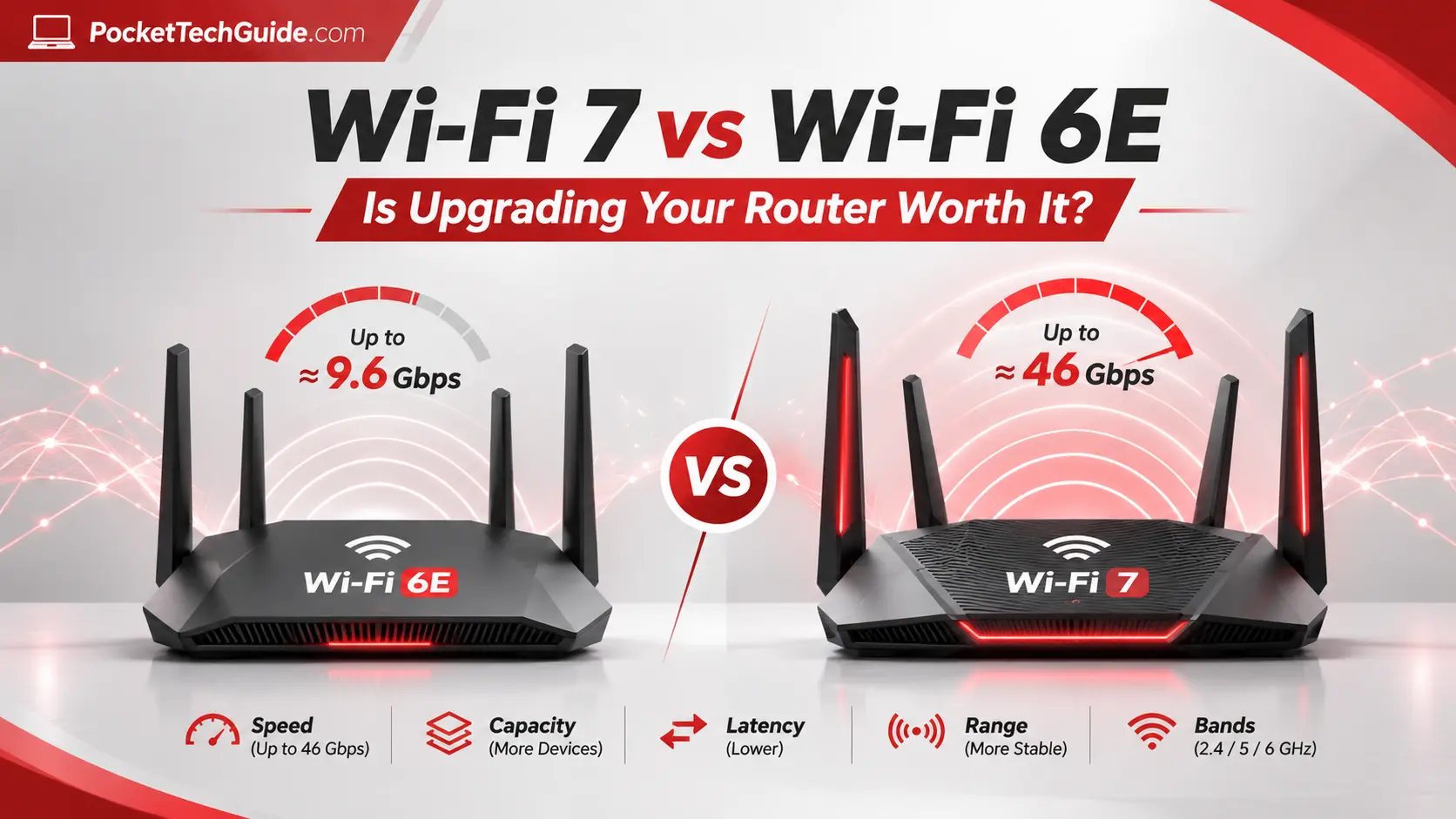
| Maximum theoretical speed | 9.6 Gbps | Around 46 Gbps |
| Device compatibility | Good | Growing |
| Best for | Everyday home internet | High-performance networks |
These speeds are theoretical maximums, not typical real-world internet speeds. Actual performance depends on your router, connected devices, interference, and internet plan.
1. Speed: Is Wi-Fi 7 Much Faster?
Wi-Fi 7 introduces wider wireless channels and more advanced data transmission technology.
While Wi-Fi 6E supports channels up to 160MHz, Wi-Fi 7 can support 320MHz channels on compatible 6GHz equipment.
This gives Wi-Fi 7 the potential to transfer considerably more data.
However, your actual internet speed will still depend on your service provider.
For example, if you pay for a 300Mbps internet plan, buying a Wi-Fi 7 router won’t automatically turn it into a 1Gbps connection.
A faster router can still improve local file transfers and performance when multiple devices are active.
Winner: Wi-Fi 7, provided your equipment can use its advanced features.
2. Gaming: Does Wi-Fi 7 Reduce Lag?
Wi-Fi 7 introduces a technology called Multi-Link Operation (MLO).
It allows compatible devices to use multiple wireless links, which can improve connection reliability and reduce latency under suitable conditions.
This may benefit:
- Online multiplayer gaming.
- Cloud gaming.
- Video conferencing.
- Virtual reality applications.
- Busy households with multiple active devices.
But Wi-Fi 7 cannot eliminate internet congestion or problems with distant game servers.
For competitive gaming, a wired Ethernet connection is often still the more predictable option.
Winner: Wi-Fi 7 for supported devices, although the benefit varies.
3. Coverage: Will Wi-Fi 7 Improve Your Signal?
Not necessarily.
A newer Wi-Fi standard doesn’t automatically mean stronger coverage throughout your home.
Both Wi-Fi 6E and suitable Wi-Fi 7 routers can use the 6GHz band, which offers additional wireless capacity but generally has a shorter effective range through walls than 2.4GHz.
If your Wi-Fi struggles to reach an upstairs bedroom or basement, upgrading the router may not solve the issue.
A properly positioned router or mesh Wi-Fi system could provide a bigger improvement.
Winner: Depends on router design and home layout.
4. Do You Need Wi-Fi 7 Devices?
To enjoy the full advantages of Wi-Fi 7, your smartphone, laptop, or other device must support the relevant features.
Older Wi-Fi 6 and Wi-Fi 6E devices can still connect to a backward-compatible Wi-Fi 7 router.
However, they won’t suddenly gain every Wi-Fi 7 capability.
Also, not every Wi-Fi 7 router includes a 6GHz radio or supports the maximum theoretical specifications.
Before buying, check the router’s supported bands, Ethernet ports, channel widths, and certification.
5. Is Wi-Fi 7 Worth the Extra Money?
For most people, price is the deciding factor.
If your household mainly uses Netflix, YouTube, social media, and occasional video calls, Wi-Fi 6E can still deliver excellent performance.
Wi-Fi 7 becomes more attractive if you:
- Have a multi-gigabit internet connection.
- Own several compatible Wi-Fi 7 devices.
- Transfer large files over your home network.
- Want advanced connectivity features.
- Are purchasing a router intended to last several years.
If you’re replacing an old Wi-Fi 5 router, both Wi-Fi 6E and Wi-Fi 7 are worth considering, depending on price and hardware features.
Frequently Asked Questions
Is Wi-Fi 7 worth it in 2026?
It can be, especially for users with compatible devices, fast internet plans, and demanding home networks. For basic browsing and streaming, Wi-Fi 6E is still sufficient.
Does Wi-Fi 7 work with older phones?
Yes. Compatible Wi-Fi 7 routers support earlier Wi-Fi generations, but older phones cannot use features their hardware doesn’t support.
Is Wi-Fi 7 better for gaming?
Wi-Fi 7 can improve latency and reliability under suitable conditions, particularly with Multi-Link Operation. However, gaming performance also depends on your internet connection and game servers.
Will Wi-Fi 7 improve internet speed?
It may improve wireless performance if your existing Wi-Fi connection is the bottleneck. It cannot increase the speed limit of your internet subscription.
Final Verdict: Wi-Fi 7 or Wi-Fi 6E?
Choose Wi-Fi 6E if you want reliable home internet at a reasonable cost and your current devices don’t require the latest wireless features.
Choose Wi-Fi 7 if you’re buying a new high-performance router, have compatible devices, or want more room for future network demands.
For most households with a working Wi-Fi 6E setup, upgrading isn’t urgent.
The best router is the one that delivers reliable coverage and enough performance for your actual needs—not simply the newest technology.